A writing app for the Mac
For people who
finish books.
Musset is a calm place to write, a manuscript you can see whole, a keyboard that never makes you reach for the mouse — and a publisher inside, who reads, questions and annotates. It never writes a word for you.
macOS 14 or later · Apple silicon · English, Français, Deutsch, Español, Italiano, Português
Free and open source (GPL v3)
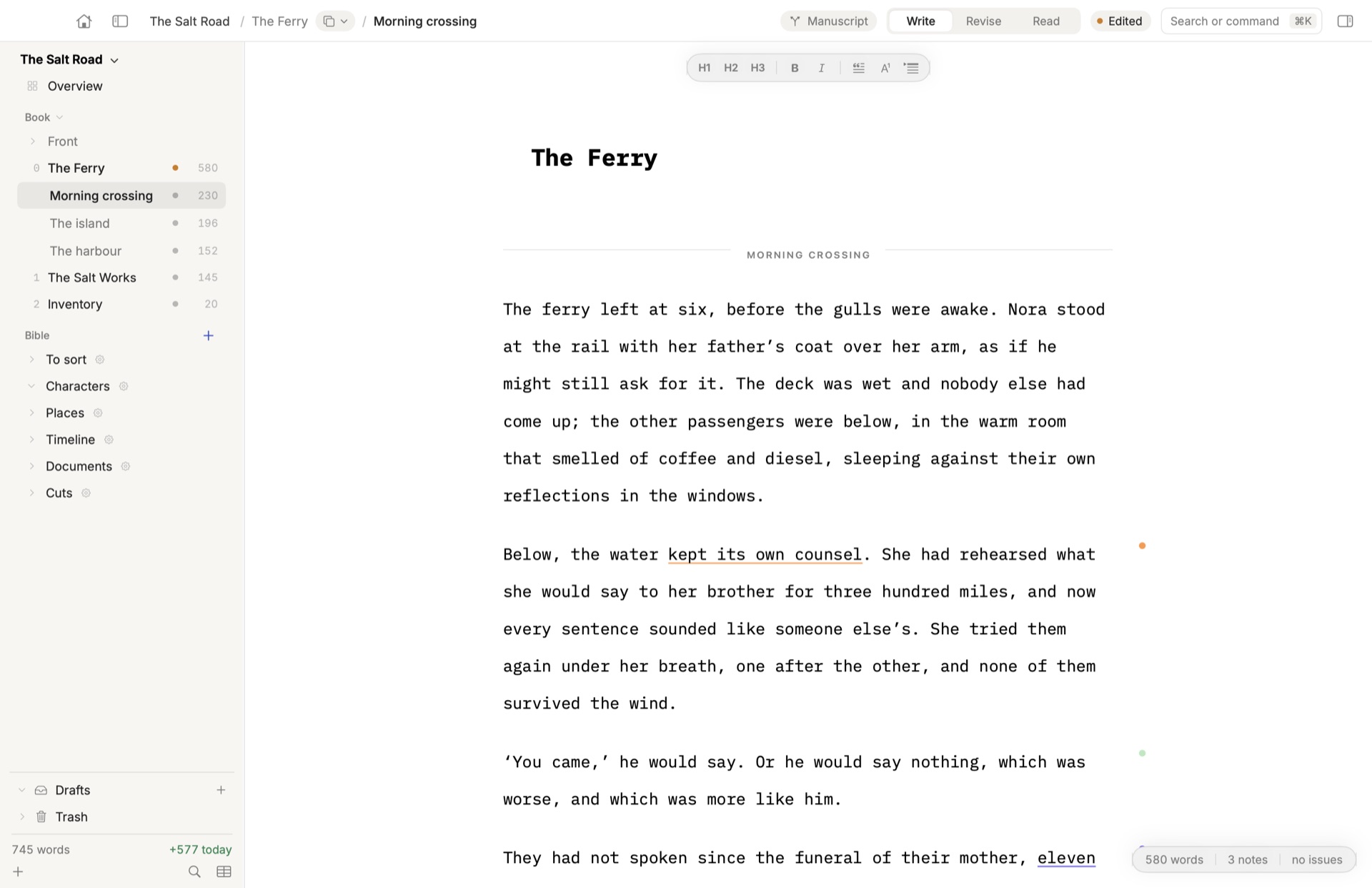
As calm as a blank page.
Plain text, one column, nothing blinking. Focus mode, typewriter scrolling, a kiosk mode that turns your Mac into a typewriter — and Ultra Focus when the draft has to come out.
As structured as a manuscript.
Parts, chapters, scenes and statuses. A plot grid. A Bible for characters, places and documents. Two versions of a chapter, side by side, until you choose.
As fast as WordStar.
Four keyboard modes — Mac, WordStar, vi and Emacs — and ⌘K for everything else. Your hands stay where the words are.
A publisher inside
A voice across the table.
Writing a book is a long silence. Musset gives you someone to talk to while you write: an editor you can question, push back on, argue with — about your text, as it takes shape. It quotes your sentence, says what it sees, and asks a question. The words stay yours: Musset never writes a line for you.
Creativity needs a channel. Start from what readers of your genre expect, or hand over your own style guide, constraints and goals. The editor holds you to them, chapter after chapter.
- Genre presets — literary fiction, crime, romance, fantasy, science fiction, YA, historical, horror and more: the expectations a publisher in your genre reads with, every judgment backed by a quotation.
- Your style guide, your constraints, your goals — write them once; each chapter is read against them, in the margin.
- Kept on track — continuity, tics, facts to check, and the scene that drifts from what you set out to do.
- What works, too — a good editor says so. Praise has its own colour.
An AI editor does not, and never will, replace a human one. Its job is to help: to point at the key issues while you write. The finesse and judgment of a real editor remain human — Musset gets your manuscript ready for that conversation, it doesn’t stand in for it.
Uses your own Claude or ChatGPT subscription. Everything works with the AI switched off.
Talk it through.
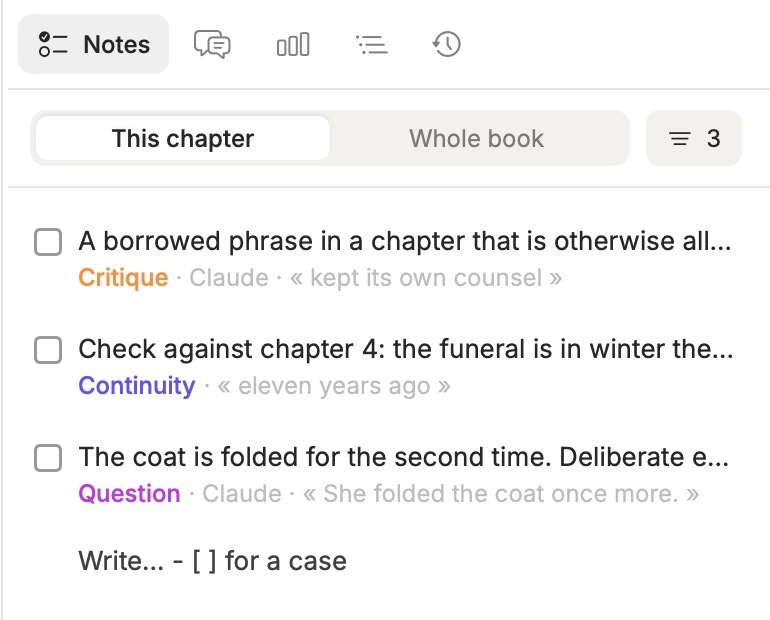
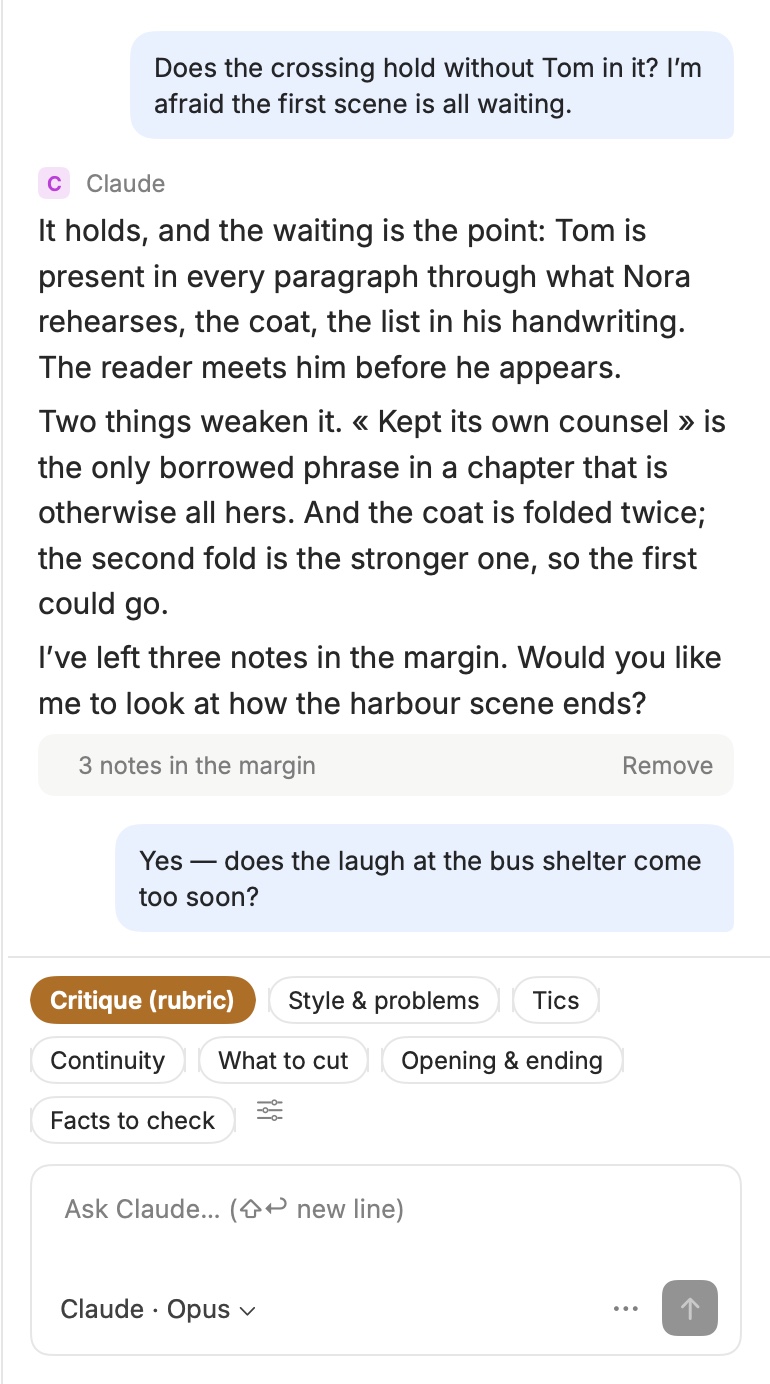
Ask about the chapter you’re in, the way you would ask an editor over coffee: does this scene hold, is the ending too soon, where does the tension drop? The answer comes from your text — and what it points at lands in the margin, as notes you can take or leave.
One click runs a full reading: style, tics, continuity, what to cut, the opening and the ending, facts to check.
Human Authored
In line with the Authors Guild’s Human Authored certification.
The certification asks that every word of the book be written by a person, allowing only spelling and grammar checks. That is exactly how Musset works: the editor reads, questions and annotates; the proofreader fixes typos and agreement, one word at a time. Nothing in Musset generates your prose — and the code is open, so anyone can check.
- ✓ No generated text, ever
- ✓ Critique in the margin, never rewrites
- ✓ Spelling and grammar, word by word
- ✓ Open source, verifiable
Musset is not affiliated with the Authors Guild. The certification is yours to claim, for books published in the United States (in the UK, through the Society of Authors).
Keyboard first
The WordStar of the 21st century.
Pick the keys your hands already know, in Settings. ⌘ stays Musset’s in every mode, and AZERTY keyboards are handled.
⌥← ⌥→ ⌘Z
Mac
The shortcuts of every Mac app and of Word. The default.
^K B · ^K K · ^Q 1
WordStar
The cursor diamond, blocks that stay marked, place markers across chapters.
dis · cap · ciw
vi
Modes and motions that understand prose: sentences, paragraphs, scenes.
^K ^Y · M-e · ^Space
Emacs
The mark, the kill ring, Meta by Esc — and ⌥ still types your accents.
Ultra Focus · ⌃⌘U
Only the text. Only forward.
No interface, no going back. Choose how strict: Light lets you mend the sentence you’re in, Normal lets you backspace, Hardcore lets you do neither. What you wrote lands at the end of the chapter.
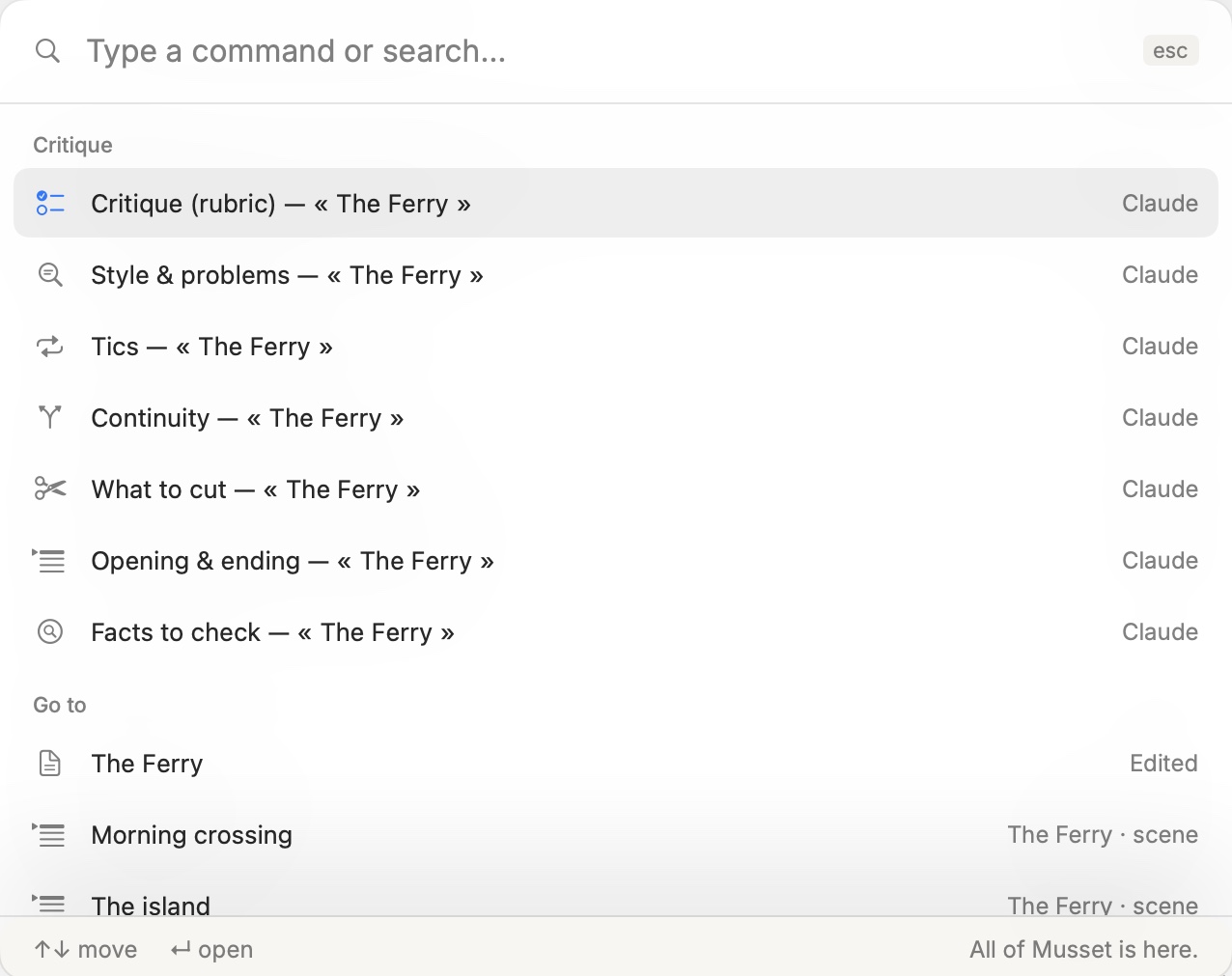
All of Musset is one keystroke away.
⌘K goes to any chapter or scene, in any of your books, runs a critique, searches the text, switches to dark. No toolbar to learn.
Kiosk mode · ⌃⌘K
Your Mac becomes a typewriter.
Musset takes the whole screen — menu bar, Dock and notch included. No notifications, no other windows, and no switching to another app: ⌘Tab does nothing until you leave. Only your book, your chapters and the page.
Nothing else on screen
The menu bar, the Dock and the window frame disappear.
Nowhere else to go
App switching is off. The internet is one decision further away.
Still all of Musset
Chapters, notes, Write, Revise and Read stay at hand.
From draft to publisher
Read it as a book. Send it as a manuscript.
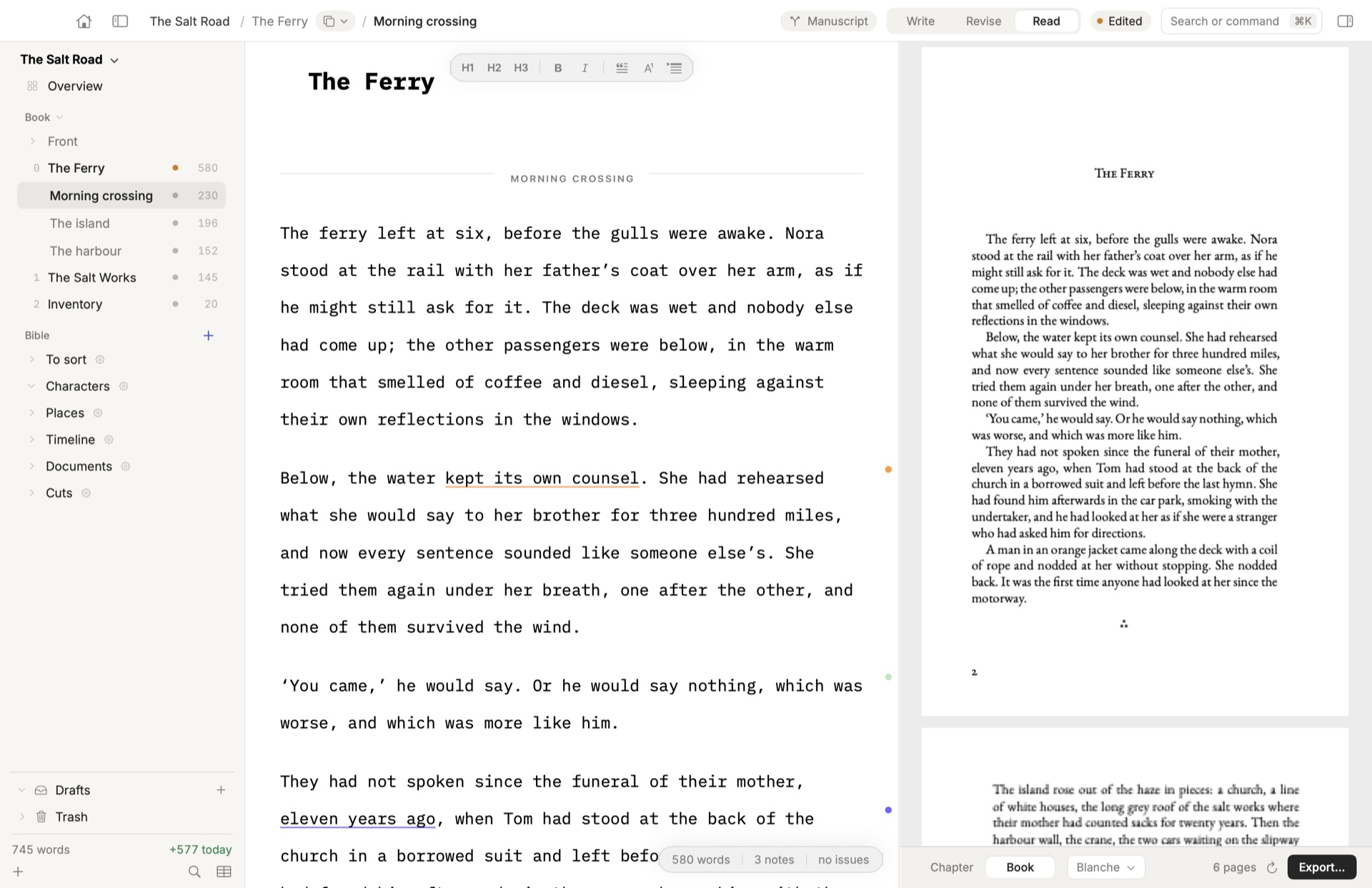
Reading mode sets your chapters in EB Garamond, page by page, as they will print. When it’s time to submit, Musset lays out the manuscript the way publishers in your country expect it — and counts it the way they count.
Professional typesetting
Your PDF looks like a book, because it is set like one.
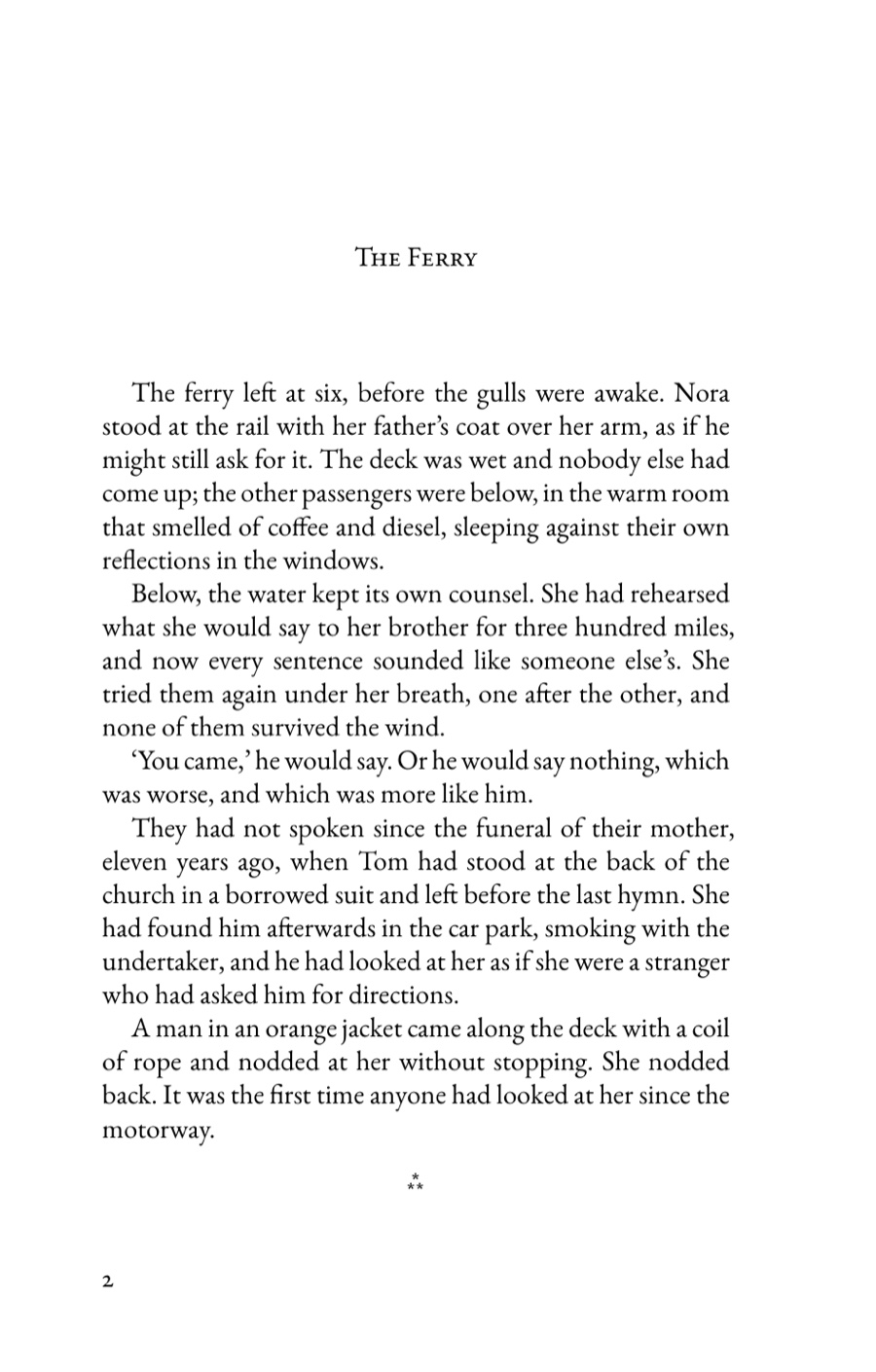
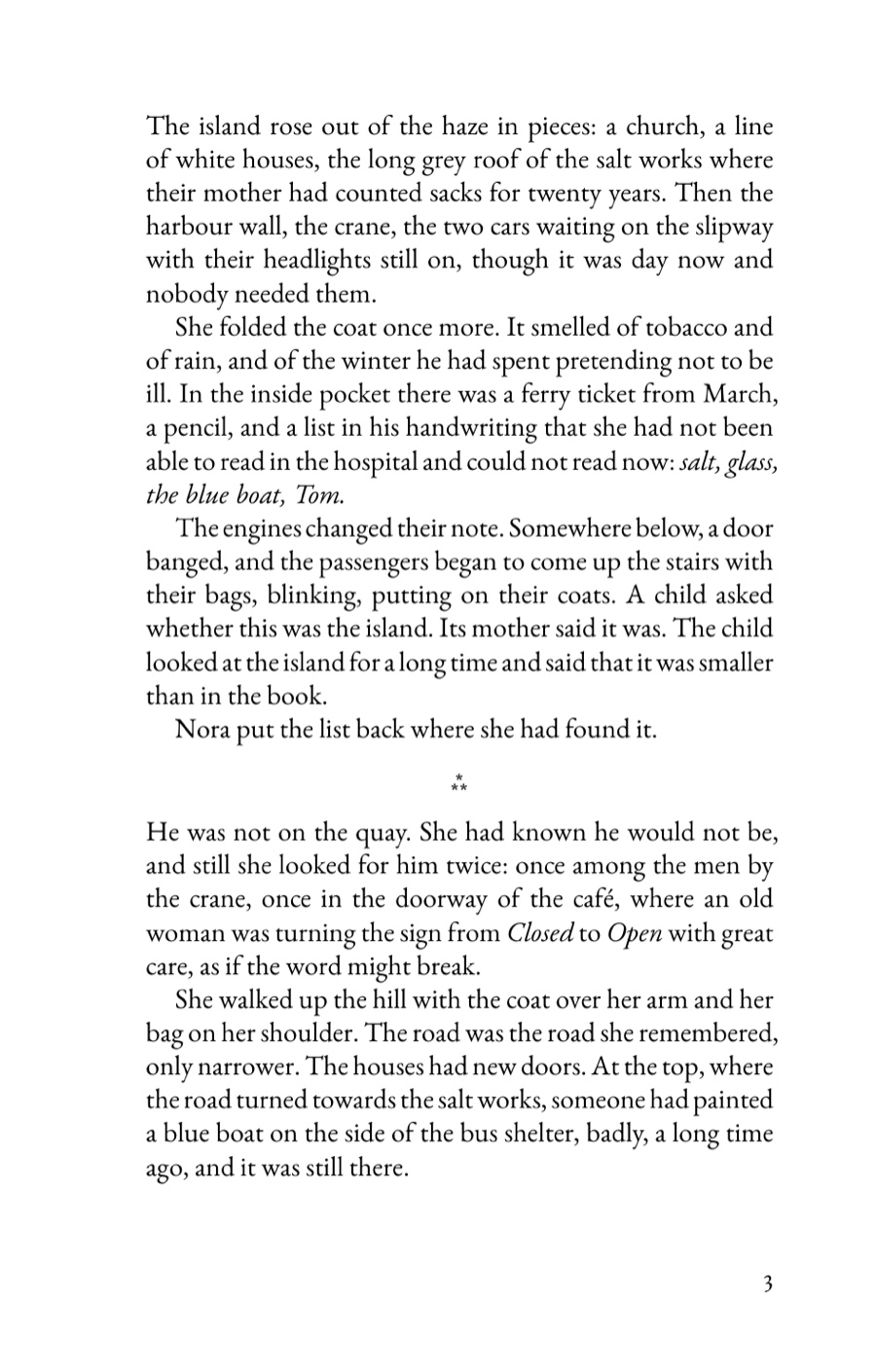
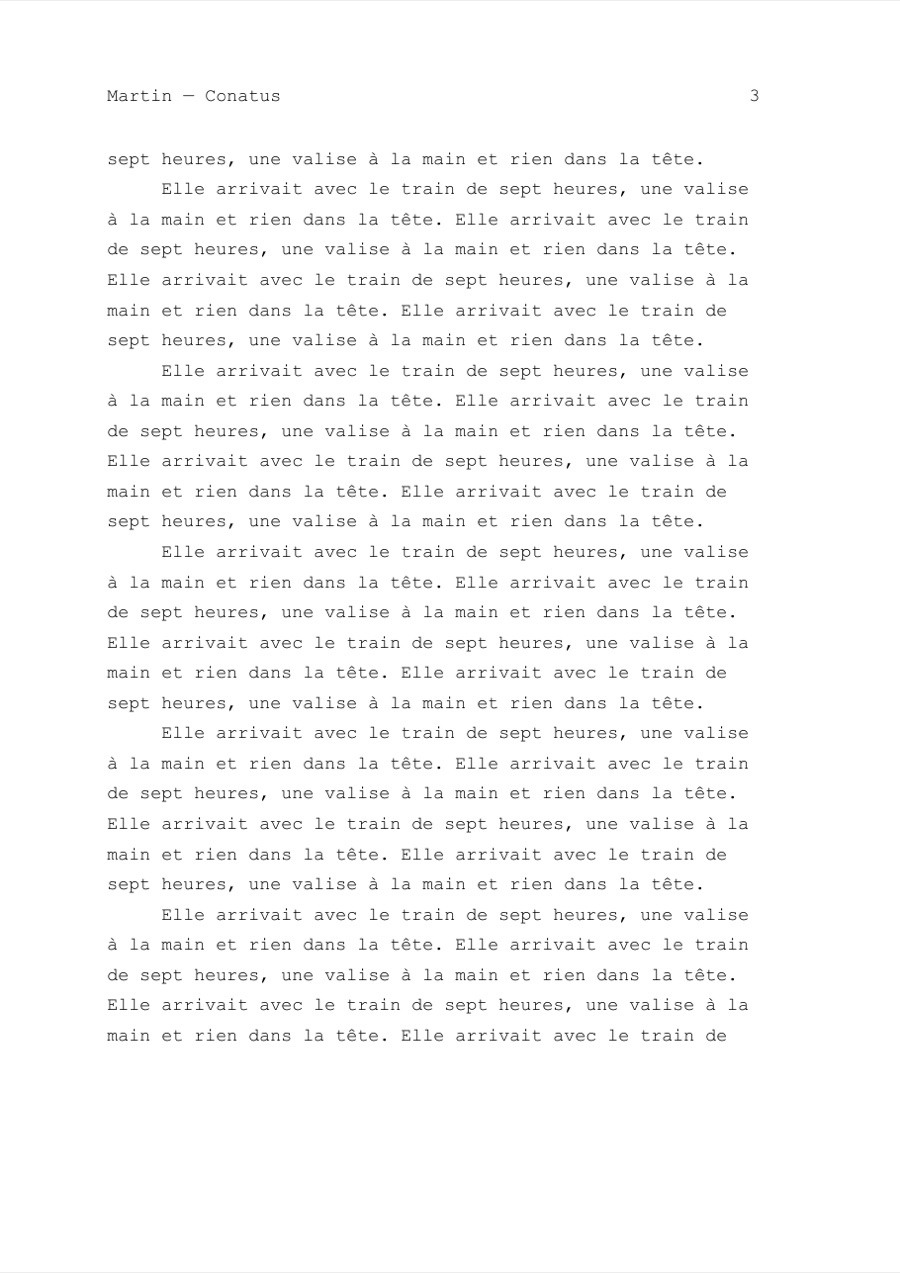
Musset typesets with Typst, a modern engine in the tradition of TeX, in EB Garamond — a revival of the sixteenth-century Garamond type. The pages below come straight out of Musset, untouched.
Line breaking by the paragraph
Each paragraph is set as a whole, not line by line: even spacing between words, hyphenation by the rules of the book’s language.
The details of a real book
True small capitals for chapter titles, old-style figures, ligatures, ornaments between scenes, folios on the outer edge.
Ready for the printer
Facing pages with inside and outside margins, the trade sizes of your market, crop marks when the printer asks for them.
Every country’s manuscript.
- US & UK
- Standard manuscript format, word count rounded to the hundred
- France
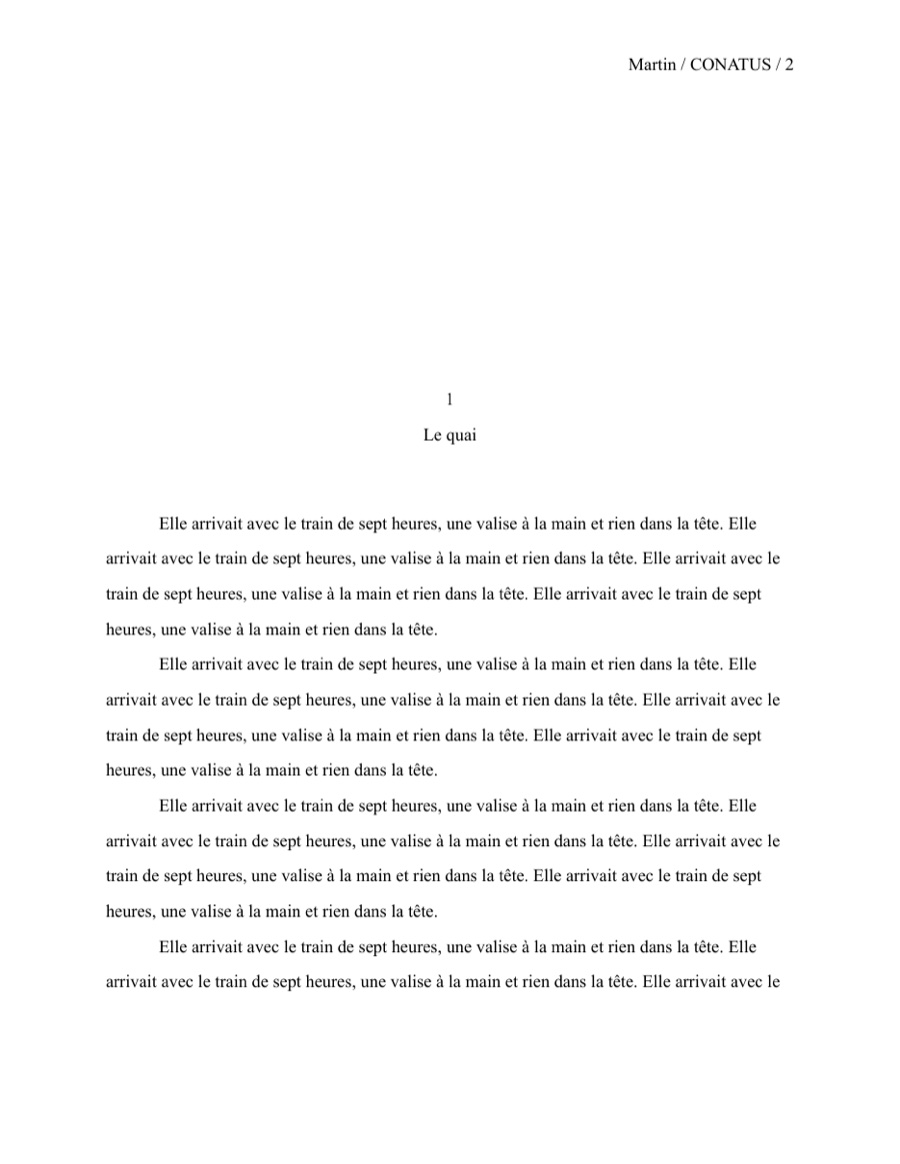
- A4 in Garamond, double spaced, counted in feuillets
- Germany
- Normseiten of 30 lines × 60 characters
- Italy
- Cartelle of 1,800 battute
- Spain, Portugal, Brazil
- A4, 1.5 spacing, characters with spaces
Entering a prize? Send it under a pseudonym, without your name or address. Working with an editor? Export to Word, get their tracked changes back as corrections — each tagged with who made it.
Six languages
Typography that knows where you write.
Each book has its language and its variant. Musset sets the quotes, dashes and spaces your publisher expects, as you type, and checks spelling and grammar with LanguageTool — on your Mac, nothing sent anywhere.
English
“Yes,” she said — or ‘yes’.
Français
« Oui ? » dit-elle.
Deutsch
„Ja“, sagte sie – z. B.
Español
—¿Vienes? —dijo ella.
Italiano
«È tardi» disse.
Português
— Vens? — disse ela.
The interface speaks all six, too — and Brazilian and European Portuguese each get their own.
Versions
Versions, under control.
No more “chapter-3-final-v2-REAL.docx”. Musset quietly keeps every state of your book as you write: you never save a copy, never rename a file, and nothing you delete is ever really gone.
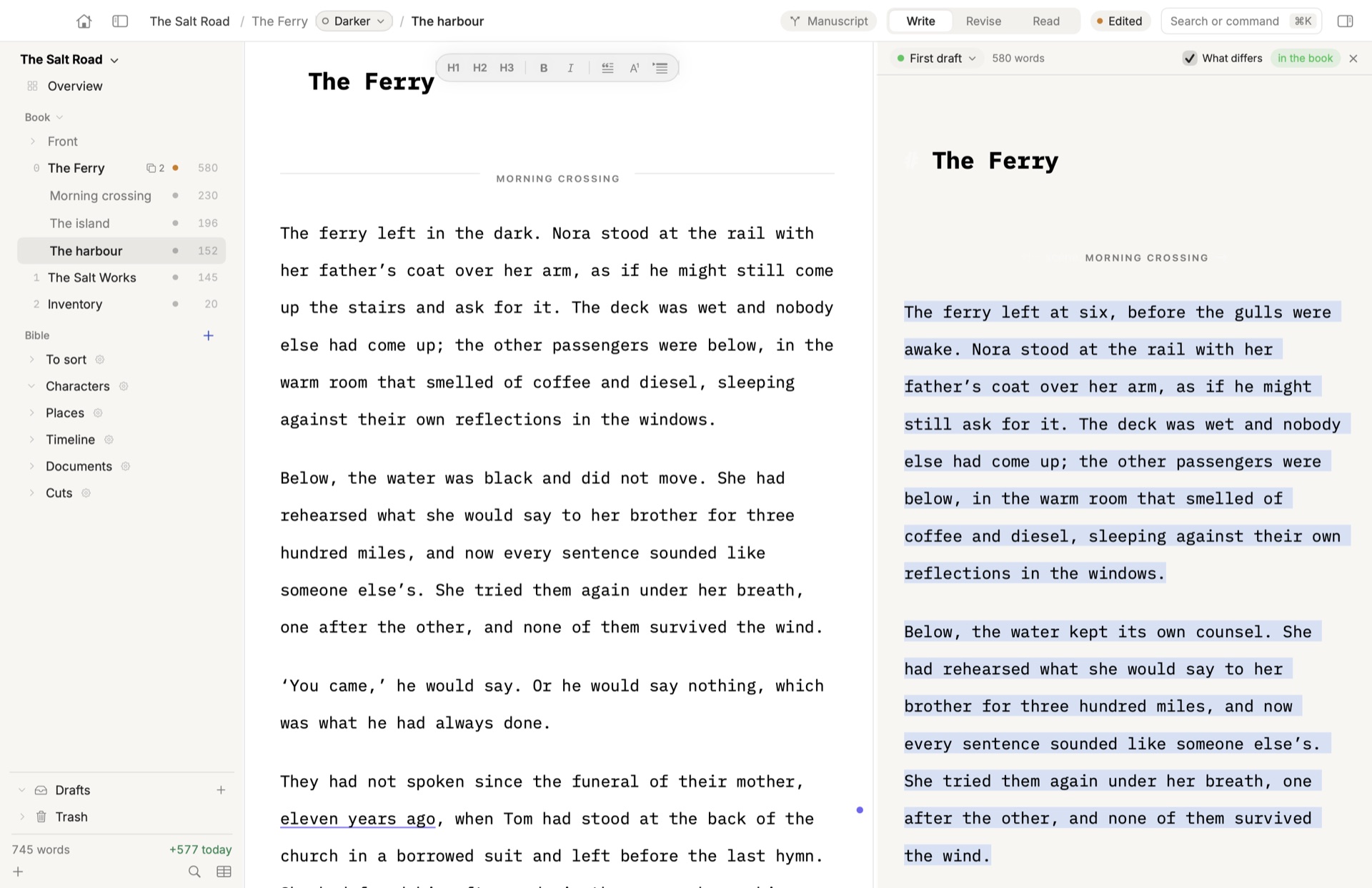
Two versions, side by side
Hesitating between two directions for a chapter? Write both. Read them next to each other, with what differs marked, and choose which one goes in the book. Change your mind whenever you like.
A draft on the side
Want to try something bold on the whole book? Do it in a parallel draft, and the real manuscript doesn’t move. Bring back what works, paragraph by paragraph.
Back in time
See your book as it was last Tuesday, or the day you sent it to your agent. Mark the moments that matter — a submission, a reading — and return to them in one click.
Behind it all is git — the system the whole software world relies on to keep track of its work. You never have to see it. Your chapters stay plain text files you can open anywhere, and the whole history comes with you if you ever leave.
Revise
Your editor’s pen, in your text.
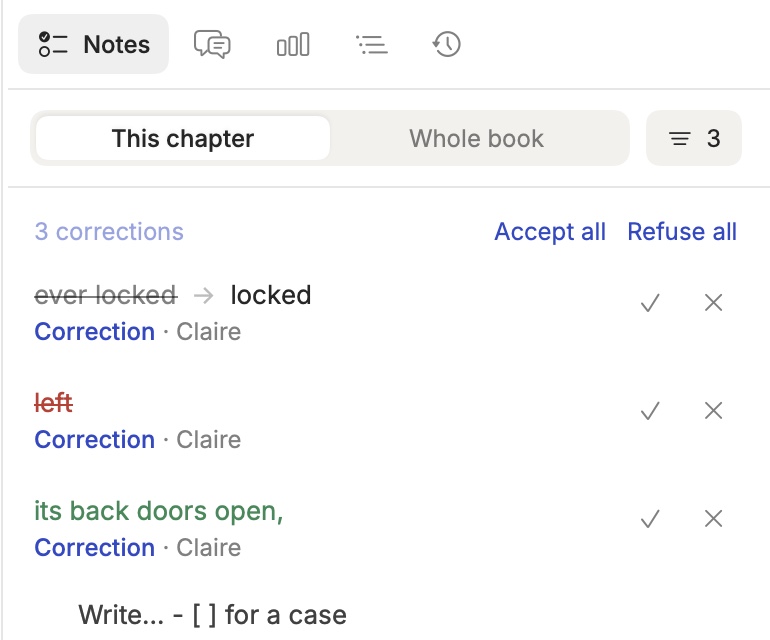
Corrections show where they belong: what goes struck through, what comes in green, comments on the passage they’re about. Accept or refuse each one — or all at once.
- Who said what. Every correction carries its author’s name.
- Your own edits too. Switch to Revise and your changes become corrections you can weigh later.
- Editors who live in Word. Send them a .docx; their tracked changes come back as corrections.
- Compare anything. Any two moments of a chapter, what changed, side by side.
Musset Sync
Sync between your Macs that actually works.
Write on the laptop on the train, pick up on the desk at home. Musset syncs the book with its whole history — every version, every note — not a copy of a file that might be stale.
Offline first
Your book lives on your Mac. Write without a connection; it syncs when you’re back.
History included
Versions, parallel drafts and milestones follow you from one Mac to the other.
Share with your editor
Invite an editor or beta readers. Their changes come back as corrections you accept or refuse, and you can see who wrote what.
Private
Only the people you invite can open a book.
Musset Reader · iPhone & iPad
Your readers, in the margin.
Your editor, your beta readers, your publisher read the book on their iPhone or iPad, set in pages like the printed one. They mark a passage, leave a note, and the note becomes a conversation with you.
- A real book. The same typesetting as your PDF: justified, hyphenated, in your book’s language.
- Everyone in their colour. Highlights, underlines and notes, each in the colour of the person who made them.
- Conversations, not comments. Answer on your Mac, they answer on their phone. Either of you resolves it.
- Every draft you mark. When you mark a new version, the people reading the book are told, and can read it there.
- Your own books too. With Musset Sync, read your manuscript away from your desk.
Free for everyone you invite. No account to pay for, nothing to buy in the app.
Free to write. Simple to sync.
The whole app costs nothing. Pay only if you want your books in the cloud.
Musset
Free
- Everything in the app: editor, keyboard modes, Ultra Focus
- Chapters, scenes, versions, Bible, plot grid
- Proofreading in six languages, on your Mac
- PDF, Word and EPUB, manuscripts for every country
- The AI publisher, with your own Claude or ChatGPT
- Musset Reader for iPhone and iPad
- Open source under the GPL v3: anyone can read the code, nothing is hidden
Musset Sync
€4.99 / month
- Your books in the cloud, with their whole history
- The same book on all your Macs, always up to date
- Share a book with your editor or beta readers
- They read and annotate on Mac, iPhone and iPad
- See who wrote what, and take their corrections in your text
- The people you invite don’t pay
Write the book. Finish it.
Download Musset — freemacOS 14 Sonoma or later · Apple silicon · Signed and notarized by Apple · Free and open source (GPL v3)
Reading someone’s book? Musset Reader for iPhone and iPad is free — coming to the App Store.